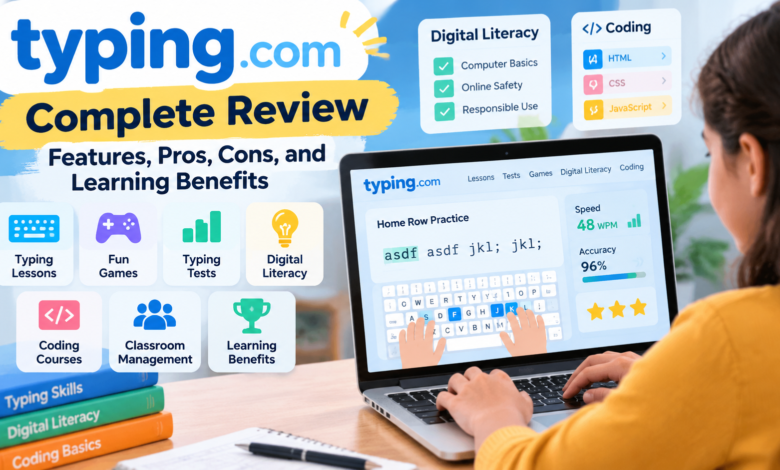
Typing has become an important skill in today’s digital world. Students, professionals, and computer users need fast and accurate typing skills to complete assignments, write documents, communicate online, and work efficiently. However, many beginners struggle with slow typing speed and frequent mistakes because they do not learn proper keyboard techniques.
Typing.com is an online learning platform designed to help users improve their typing speed, accuracy, and overall computer skills. The platform provides structured typing lessons, practice exercises, typing tests, educational games, and digital literacy resources for learners of different ages.
In this Typing.com complete review, we will explore its features, pros, cons, and learning benefits to understand how this platform helps students, teachers, beginners, and professionals develop essential technology skills.
Quick Information About Typing.com
| Feature | Details |
|---|---|
| Platform Name | Typing.com |
| Category | Online Typing and Digital Learning Platform |
| Main Purpose | Improve typing speed, accuracy, and computer skills |
| Learning Method | Interactive lessons, practice, and tests |
| Main Users | Students, teachers, beginners, and professionals |
| Key Features | Typing lessons, games, tests, digital literacy, coding |
| Cost | Free learning platform |
| Skill Level | Beginner to advanced |
What Is Typing.com?
Typing.com is a free online educational platform that helps users learn and improve keyboarding skills. It teaches proper typing techniques through step-by-step lessons that focus on finger placement, keyboard familiarity, speed improvement, and accuracy.
Many people learn typing by using incorrect methods, such as typing with only a few fingers or constantly looking at the keyboard. These habits reduce speed and increase errors. Typing.com helps users develop correct typing habits through regular practice and guided exercises.
The platform is widely used in schools because it combines typing education with digital skills training. Teachers can use its classroom tools to assign lessons, track student performance, and monitor progress.
Along with typing practice, Typing.com introduces learners to computer applications, online safety, and beginner coding concepts, making it more than just a typing practice website.
How Does Typing.com Work?
Typing.com follows a structured learning system that helps users gradually improve their keyboard skills.
New learners begin with basic keyboard lessons that introduce correct finger positions and simple typing patterns. As users progress, the lessons become more advanced and include words, sentences, paragraphs, and real-world typing exercises.
The platform tracks important performance areas, including:
- Typing speed
- Accuracy rate
- Common typing mistakes
- Lesson completion
- Learning progress
Regular practice helps users build muscle memory, allowing them to type faster without depending on visual keyboard checking.
Key Features of Typing.com
Interactive Typing Lessons
The main feature of Typing.com is its organized typing curriculum. The lessons are designed for different skill levels, allowing beginners to start from the basics and advanced users to continue improving their speed.
The platform teaches:
- Correct finger placement
- Keyboard positioning
- Letter combinations
- Word accuracy
- Sentence typing
Instead of focusing only on speed, Typing.com helps users create strong typing foundations. Better accuracy leads to faster and more efficient typing over time.
Typing Games and Gamified Learning
Typing practice can become boring when users repeat the same exercises. Typing.com improves engagement by adding interactive games and challenges.
These activities encourage learners to practice regularly while making the learning process more enjoyable. Students especially benefit from this approach because games create motivation and keep them interested.
The gamified system helps learners improve typing skills while enjoying the experience.
Typing Tests and Performance Tracking
Typing.com provides typing tests that measure a user’s speed and accuracy. These tests allow learners to understand their current ability and identify areas that need improvement.
Users can compare their results over time and see how their typing performance develops.
Teachers can also review student reports to understand learning progress and provide additional guidance.
Digital Literacy and Technology Lessons
One important advantage of Typing.com is that it goes beyond typing education. The platform teaches essential digital skills that students need in modern education and workplaces.
Digital literacy lessons include topics such as:
- Computer fundamentals
- Online safety
- Digital citizenship
- Responsible technology use
- Basic computer applications
These lessons help students become more confident when using technology.
Coding Curriculum for Beginners
Typing.com also introduces learners to basic programming concepts. These lessons help students understand how websites and digital applications work.
The platform covers beginner-level topics related to:
HTML
HTML lessons teach users how websites are structured and how different elements appear on web pages.
CSS
CSS lessons introduce website styling concepts, including layouts, designs, and visual appearance.
JavaScript
JavaScript lessons provide an introduction to programming logic and interactive website features.
These coding lessons help students explore technology careers and develop early programming knowledge.
Teacher Tools and Classroom Management
Typing.com provides useful features for educators who want to teach keyboard skills in classrooms.
Teachers can:
- Create student accounts
- Organize classes
- Assign lessons
- Monitor progress
- Review performance reports
The teacher dashboard makes it easier to understand student strengths and weaknesses. Instead of manually checking every learner, teachers can use automated progress information.
These tools make Typing.com a practical choice for schools and educational institutions.
Learning Benefits of Typing.com
Improves Typing Speed
The biggest benefit of Typing.com is improved typing speed. Regular practice helps users type more quickly and complete digital tasks in less time.
Fast typing skills are useful for:
- Writing assignments
- Creating reports
- Sending emails
- Completing online exams
- Professional computer work
Increases Accuracy
Speed alone is not enough. Accurate typing reduces mistakes and improves productivity.
Typing.com focuses on accuracy exercises that help users create better typing habits and avoid repeated errors.
Builds Computer Confidence
Many beginners feel uncomfortable using computers because they struggle with typing. Typing.com helps remove this challenge by teaching skills gradually.
As users improve, they become more confident working with digital tools.
Supports Student Learning
Students who develop typing skills can complete schoolwork more efficiently. Since many educational activities now happen online, strong keyboard skills provide a valuable advantage.
Prepares Users for Future Careers
Technology skills are important in almost every modern career. Learning typing, digital literacy, and basic coding gives users a stronger foundation for future opportunities.
Typing.com Pros and Cons
Pros of Typing.com
- Free access to typing lessons
- Suitable for beginners and students
- Includes interactive practice activities
- Provides typing tests and progress tracking
- Offers digital literacy lessons
- Introduces coding basics
- Useful classroom management features
Cons of Typing.com
- Advanced typists may need more difficult challenges
- Some features are mainly designed for educational users
- Improvement requires regular practice and consistency
Who Should Use Typing.com?
Typing.com is suitable for many types of users.
Students
Students can improve typing skills for assignments, online classes, and computer-based exams.
Teachers
Teachers can use the platform to organize keyboard lessons and monitor student improvement.
Beginners
People with little computer experience can learn typing from the beginning through guided lessons.
Professionals
Workers who regularly use computers can improve productivity by developing faster typing skills.
How Long Does It Take to Improve Typing Skills With Typing.com?
The time required depends on the learner’s current ability and practice routine. Beginners who practice regularly can see noticeable improvement within a few weeks.
A daily practice session of 15 to 30 minutes can help users gradually increase speed and accuracy.
Consistent practice is more effective than occasional long sessions.
Conclusion
Typing.com is a complete digital learning platform that helps users develop essential typing and technology skills. With interactive lessons, typing games, performance tracking, digital literacy education, and beginner coding courses, it provides a valuable learning experience for students, teachers, and beginners.
This Typing.com complete review shows that the platform is a useful choice for anyone who wants to improve typing speed, increase accuracy, and build confidence with computers. Regular practice with Typing.com can help users develop skills that remain valuable throughout education and professional life.
Frequently Asked Questions
1. Is Typing.com free to use?
Yes, Typing.com offers free access to typing lessons, practice exercises, tests, and educational resources.
2. Is Typing.com good for beginners?
Yes, Typing.com is designed for beginners and teaches typing from basic keyboard skills to advanced practice.
3. Can teachers use Typing.com in classrooms?
Yes, teachers can create classes, assign lessons, and track student progress using classroom management tools.
4. Does Typing.com teach coding?
Yes, Typing.com provides beginner coding lessons covering basic HTML, CSS, and JavaScript concepts.
5. Can adults use Typing.com?
Yes, adults can use Typing.com to improve typing speed for personal learning or professional work.
6. How can Typing.com improve typing accuracy?
Typing.com improves accuracy through structured lessons, repeated practice, and performance tracking.